How to Plan a Trip: The Order That Keeps It From Feeling Overwhelming
How to plan a trip in seven steps, from dates and bookings to each day's plan, budget, packing, final checks, and sharing it with the group.
By Ultimate Travel Planner by Cosmo Suite · Editorial policy
Published · 8 min read

You pick the dates, then the questions start: where to stay, how many nights in each place, what needs booking, and what the rest of the group should know.
Plan the dates first, then add the bookings that anchor the trip. Build each day around those fixed points, check the money and packing, prepare the details you need on the way, and share one current plan.
If you want the itinerary, bookings, budget, and packing list in one place, a trip planning spreadsheet with each day beside its bookings can hold those pieces together. The steps below also work with a document or notebook.
The Plan in Brief
- Set the dates and the broad shape of the trip.
- Record the bookings that affect where you will be and when.
- Fill the open time around those commitments, then check the budget and packing.
- Keep final details together and share the plan with the right people.
How the Seven Steps Fit Together
The sequence is dates, bookings, daily plan, budget, packing, final checks, then sharing. Each choice gives the next one details it needs. A trip plan is a working record of dates, confirmed bookings, daily plans, and the details you need to carry them out.
| Step | Decide or record | Check before moving on |
|---|---|---|
| 1. Set dates | Trip start, end, and places | Is the trip length clear? |
| 2. Add bookings | Transport, stays, and timed activities | Do the dates and locations line up? |
| 3. Shape each day | Morning, afternoon, evening, and open time | Does each day fit around the fixed bookings? |
| 4. Review the budget | Expected costs and spending categories | Are booked costs counted once? |
| 5. Prepare packing | Shared master list and each traveller's items | Who is bringing each shared item? |
| 6. Check before leaving | Documents, contacts, and confirmations | Can you find the details when you need them? |
| 7. Share the plan | One current copy and access roles | Can each traveller open the right version? |
This sequence follows the order the decisions depend on. A stay can change which day belongs to which city. A booking can block out part of a day. Packing and sharing are easier once the trip's shape is settled.
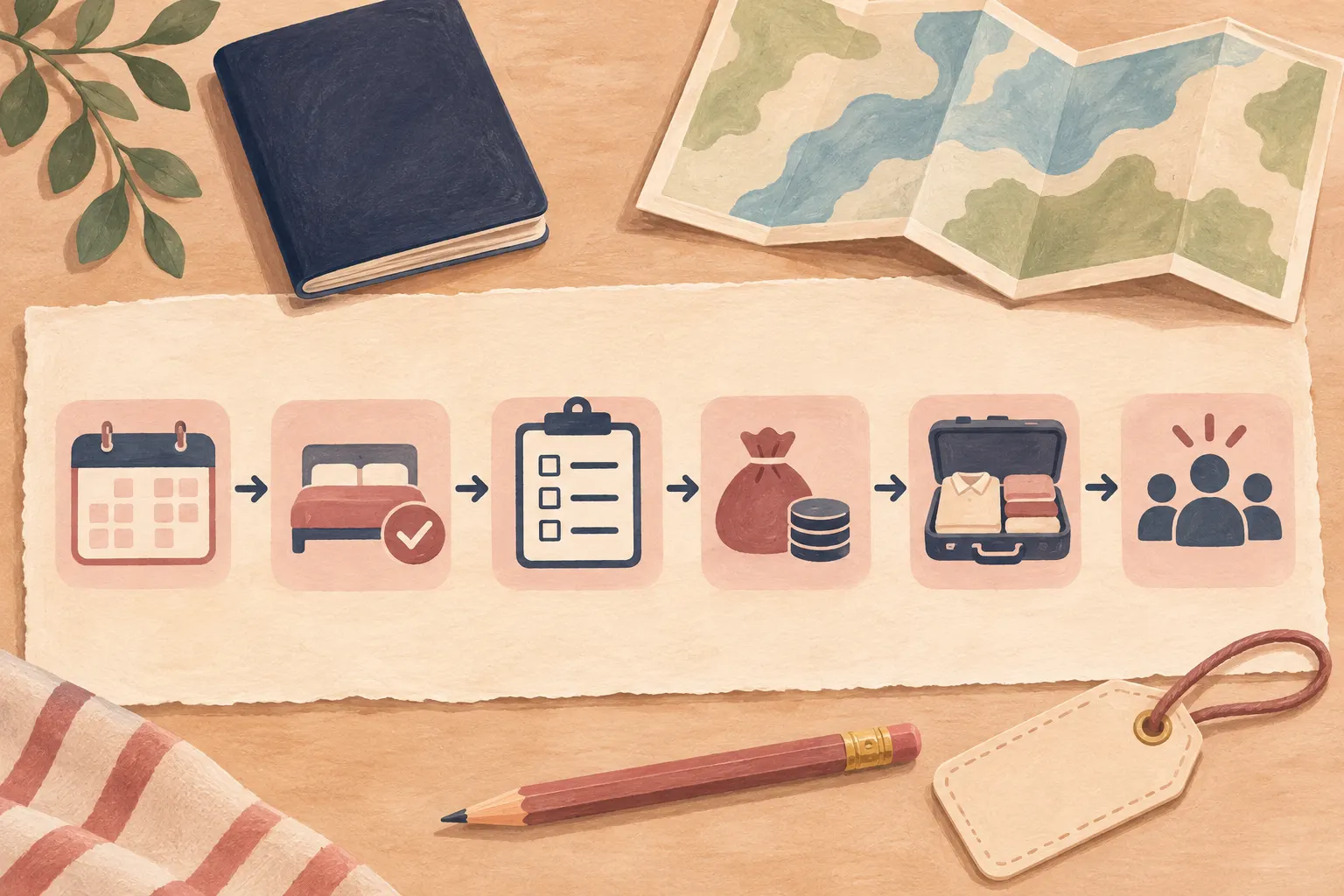
Step 1: Set the Dates and the Trip Shape
Start with the dates you know, even if they are flexible. Write down the earliest departure, the return window, who is travelling, and the places you are considering. Mark uncertain details as open questions instead of treating them as settled.
Next, sketch the nights by place. You do not need a full activity list yet. A simple row for each date helps you see whether the trip is one base or several, and whether a travel day is taking time from a place you planned to visit.
Keep decisions separate from possibilities. “Stay in Porto from Tuesday to Friday” is a decision if the room is booked. “Maybe add a night in Porto” is still a question. A note beside each open question makes it easier to return to it without rebuilding the plan.
A day-by-day layout helps when the dates and nights are clear. The travel itinerary template with a sample trip filled in shows how dates, stays, and daily blocks can sit together.
Step 2: Add the Bookings That Anchor the Trip
Record each confirmed booking once, with its date, time, location, cost, and confirmation detail where relevant. Transport and stays often set the boundaries for the rest of the itinerary.
Use one booking list as the source for the day plan. If a hotel moves, you can update the booking record and then check the affected days. Copying the same address into several notes means you have several places to remember to fix.
Keep booked items distinct from ideas. A confirmed tour has a time and meeting point. A restaurant you might try can stay in a separate ideas list until you decide. This prevents a possibility from looking like a commitment when someone else reads the schedule.
If the plan includes a booking in another currency, record the original amount and the currency beside it. If you use a spreadsheet that converts amounts, check which rate it uses and when you entered it. Ultimate Travel Planner uses a rate you type in; it does not fetch live exchange rates.
Step 3: Shape Each Day Around the Fixed Points
Put fixed bookings on the correct dates first, then use the remaining space for meals, travel between places, and activities you have not booked. Leave some open time so one delay does not force you to rewrite the whole day.
A day can be readable without listing every hour. Note where you sleep, the main morning and afternoon plans, any fixed evening booking, and how you get between important stops. Add exact times where someone needs to be somewhere at a specific time.
A day from the sample trip. The Ultimate Travel Planner (ultimatetravelplanner.site) sample covers Lisbon and Porto. One Monday in the sample has a stay in Alfama, a 09:30 meeting for a Sintra day tour, and a planned evening in Bairro Alto. The booking gives the day a fixed starting point; the other plans sit around it. Treat these details as an example of how a booking anchors a day, not a recommendation about what to visit.

Before you call the itinerary done, check the handoffs: do you have enough information to reach the next stay, and does a booking appear on the day you expect? If you are weighing a spreadsheet against an app, this comparison of travel planning apps and a spreadsheet lays out the tradeoffs.
Step 4: Review the Budget Beside the Itinerary
List expected costs by category and connect them to the days or bookings they belong to. This makes it easier to see what is already committed and which costs still need an estimate.
Start with booked transport, stays, and activities. Add the other categories that matter to your trip, such as local transport, meals, or supplies. The list depends on the trip, so leave a place for costs you have not pinned down yet.
Avoid counting the same booking twice. If a stay already appears in the booking list, check whether the budget view includes it before adding the total again. When you track spending during the trip, use the same category names so planned and actual amounts are easier to compare.
A linked spreadsheet can put bookings, budget, and spending beside the days.
If you want those parts in a ready-made file, the Ultimate Travel Planner trip itinerary spreadsheet includes connected tabs for the itinerary, bookings, budget, and spending.
Step 5: Prepare a Packing List That Matches the Trip
Start with a reusable master list, then make a trip-specific list from it. Remove items that do not fit this trip and add what the dates, activities, or travellers call for.
Separate personal items from shared items. For a shared charger or first-aid kit, name the person bringing it. For personal clothing and toiletries, each traveller can check their own list. That small ownership note prevents the group from assuming somebody else packed the shared item.
Keep packing decisions connected to the plan. A day with a booked swim may call for different items than a day spent in transit. The list should match the trip you planned. A master list is a starting point, so remove items that do not fit this journey.
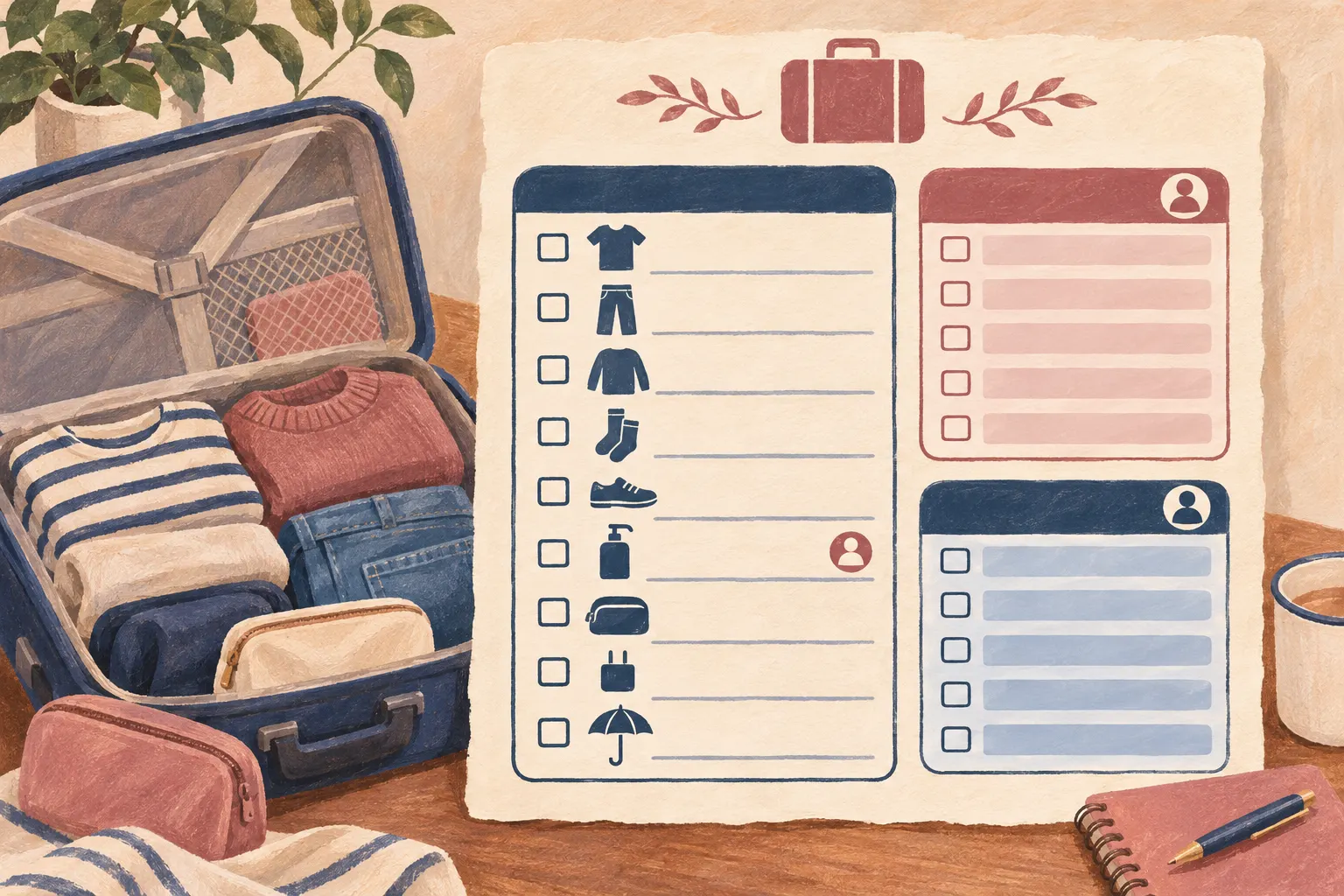
The master packing list you can reuse on the next trip explains how to keep a core list and update it after you return. The Ultimate Travel Planner has a master packing list and a separate packing list for each traveller.
Step 6: Check the Details You Need Before You Leave
Gather the details you expect to need while travelling: confirmation numbers, stay addresses, transport times, contact information, and the documents relevant to your own plans. Use official sources for entry, health, or safety requirements because those depend on the traveller and destination.
Then test the plan as if you were opening it on the move. Can you find tonight's stay? Can you locate the confirmation for the next booking? Is the address written in a way you can use? If a detail is only in an email or a message, decide whether you need a copy in the itinerary.
A short final check can follow the same order as the plan: dates, bookings, day plan, budget, packing, and documents. Mark what you checked and leave anything uncertain visible. Carriers, venues, and border rules can change, so check current official information before you leave.
For U.S. citizens travelling abroad, the U.S. Department of State's International Traveler's Checklist covers destination information and required documents. Check the equivalent official source for your own nationality and destination.
Step 7: Share One Current Plan
Share the version that reflects the latest dates and bookings, and choose access based on what each person needs to do. Google Drive offers Viewer, Commenter, and Editor roles for shared files. Check the sharing settings on the file before you send its link, since access can also depend on the folder it sits in.
For a group trip, agree on who changes fixed bookings and who updates personal notes. One person can keep the itinerary current while others send corrections. If everyone edits the same schedule, decide how you will resolve two changes to the same item.
Google Sheets has version history, so you can review earlier edits. Decide who owns a change before several people start editing. See Google's guides to sharing files and setting access and collaborating in Sheets.
What the Ultimate Travel Planner Keeps Together
The Ultimate Travel Planner in Google Sheets or Excel keeps the itinerary, bookings, budget, spending, and packing lists in one file. It includes 12 connected tabs, a sample copy, and a clean copy. The file belongs to you and handles planning. It will not import bookings from email or book anything for you.
Why Trust This Article
This guide follows the documented tabs and sample trip in the Ultimate Travel Planner. We ordered the steps around its connected details: bookings set the day plan, while the day plan informs the budget, packing, and sharing. We checked Google's sharing and Sheets collaboration help on 14 November 2026. Product details come from the published contents list: 12 connected tabs in Google Sheets and Excel, with a sample and a clean copy. This guide explains a planning method; it does not give destination-specific advice.
Frequently asked questions
What is the first step when planning a trip?
Choose the dates or date range first. That gives you a frame for checking stays, transport, booked activities, and the trip length before you fill in each day.
How far in advance should I plan a trip?
There is no single lead time that fits every trip. Start when you know you want to go, then work through the decisions in order: dates, bookings, daily plan, budget, packing, and final checks.
What should I book first when planning a trip?
Start with the bookings that set the trip's shape, such as transport and places to stay. Their dates and locations affect what fits around them.
How do I plan a trip with other people?
Agree on the dates and fixed bookings, then share one current itinerary with the group. In Google Drive, choose whether each person can view, comment, or edit the file.
How do I keep a trip plan from getting overwhelming?
Work on one decision at a time and keep a short list of open questions. Add each answer to the part of the plan it affects, then move on to the next step.
Sources
Keep reading

Trip Planning
Best Travel Planning Apps (2026) vs. a Spreadsheet
Best travel planning app for maps, booking details, shared plans or a spreadsheet? Compare what each option handles, then choose the setup that fits your trip.
· 8 min read

Trip Planning
How to Plan a Family Vacation Without Being the Only One Who Knows the Plan
How to plan a family vacation with one shared itinerary, clear booking decisions, a day plan everyone can open, and packing lists for each traveller.
· 8 min read
